Why Cold Emails Go to Spam in 2026 (and How to Fix It)
Why cold emails go to spam in 2026: the seven causes ranked by how often they are guilty, the thresholds Google enforces, and the fix for each one.
If you are asking why cold emails go to spam, here is the answer most guides bury: in 2026 it is almost never your copy. Gmail blocks roughly 15 billion unwanted emails a day, and the machine deciding your fate weighs sender reputation, authentication, list quality, and sending behavior far more heavily than any trigger word in your subject line. Teams rewrite the email five times while the real culprit, a cold domain, a broken DNS record, or a purchased list, keeps routing every version to the spam folder.
The stakes got sharper this cycle. Google’s sender requirements, mandatory since February 2024, moved into active enforcement in late 2025, with temporary and permanent rejections for non compliant bulk senders. The thresholds are public and unforgiving: authentication on every send, spam complaint rates below 0.3 percent as a hard ceiling with 0.1 percent as the practical warning line, valid DNS, and one click unsubscribe for volume senders. Miss the basics and your email does not underperform. It does not arrive.
This piece ranks the seven causes in the order they are actually guilty, strategy level, with each fix stated plainly. It anchors the cold email cluster’s deliverability side, and for the deep technical treatments, DNS records, warmup mechanics, reputation repair, we point throughout to The Inbox Ledger, our sister publication that covers nothing else. If your cold outreach reply rate collapsed and you suspect the spam folder, diagnose in this order.
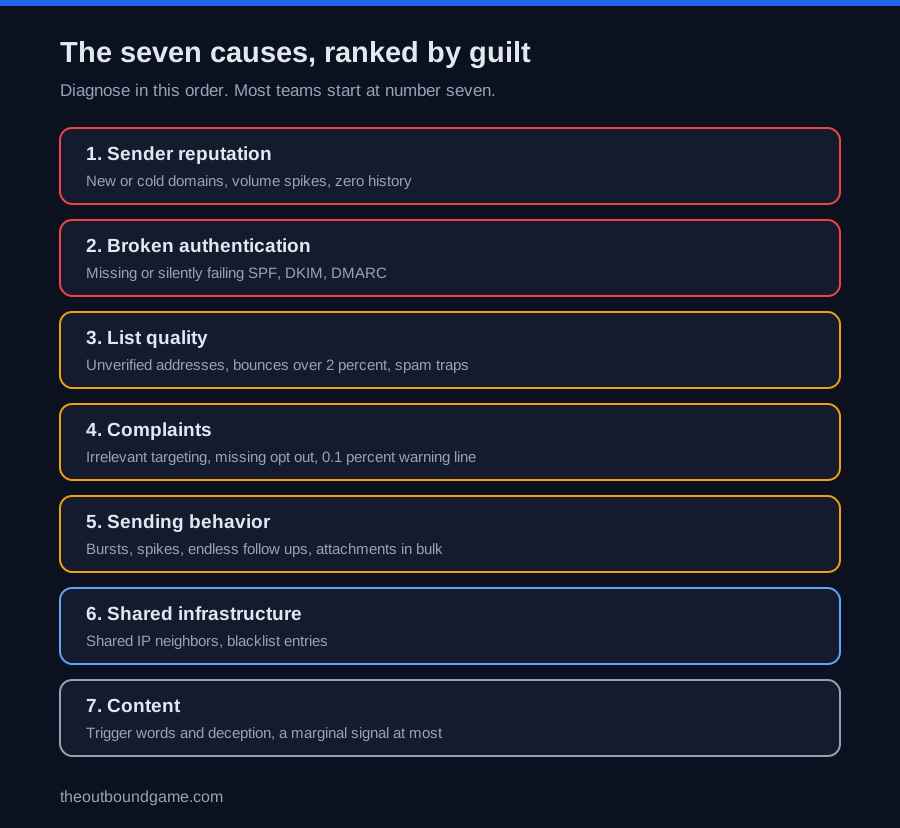
Cause one: sender reputation, the number one culprit
Mailbox providers keep a trust score on every sending domain and inbox, built from engagement history: opens, replies, complaints, and time in service. A brand new inbox has zero reputation, and zero reads as uncertain, and uncertain senders land in the spam folder no matter how perfect the DNS looks. This is the single most common reason a technically correct setup still fails, and it is why volume spikes from young domains get punished so fast.
The fix is patience engineered into the system: warm new domains and mailboxes gradually over two to four weeks, hold per inbox volume inside sane bands, roughly 20 to 30 a day on new domains and up to about 100 on mature inboxes, and keep sending patterns steady rather than bursty. One honest 2026 caveat: providers increasingly discount engagement from recognizable warmup pools, so warmup tools help but real reputation is built by real prospects engaging. The full mechanics live in The Inbox Ledger’s guide to sender reputation.
Cause two: email authentication that is missing or silently broken
SPF, DKIM, and DMARC are how a receiving server verifies you are who you claim to be, and since the 2024 requirements they are table stakes: SPF or DKIM for everyone, all three plus alignment for anyone sending 5,000 or more messages a day to Gmail, with valid forward and reverse DNS underneath. The nasty version of this cause is the silent break: a duplicate SPF record producing a permanent error, a DKIM selector mismatch after a tool migration, a DMARC record that never existed. Every send fails authentication and nobody notices, because the emails still leave the outbox.
The fix is verification, not faith: test all three records before any campaign and after any tooling change, monitor your domain in Google Postmaster Tools, and progress DMARC from monitoring toward quarantine or reject once legitimate senders are verified. The requirements themselves are published in Google’s sender guidelines, and they mirror Yahoo’s almost exactly.
Causes three and four: the list and the complaints it generates
Email deliverability is downstream of list quality. Unverified or purchased lists carry dead addresses that bounce, and bounce rates above 2 percent tell spam filters you do not know your recipients. Worse, bought lists carry spam traps, addresses that exist only to catch senders who never earned consent, and hitting them damages reputation independent of anything you wrote. Verification before every send, and a waterfall through data enrichment tools for anything uncertain, keeps the bounce signal clean.
Complaints are the most damaging signal of all. The math is brutal: at 0.1 percent you are in Google’s warning zone, which is one complaint per thousand sends, and five complaints on a 3,000 send week already puts you past it. The two biggest complaint drivers are irrelevant targeting and a missing opt out, because a recipient who cannot unsubscribe clicks the spam button instead. Relevance discipline, the kind built in how to personalize cold emails at scale, plus a working one click opt out, is complaint prevention, not compliance theater.
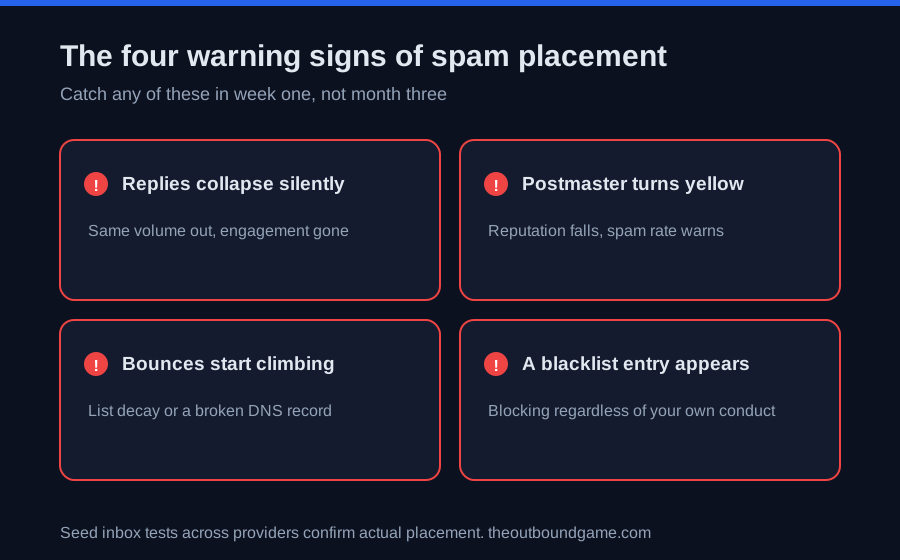
Causes five and six: sending behavior and shared infrastructure
Spam filters read behavior the way a bank reads transactions. Sudden volume spikes, hundreds of identical messages fired in a burst, too many follow ups to people who never engage, and attachments in bulk sends all pattern match to abuse. The fix is to send like a human at scale: steady daily volumes, ramps measured in weeks, sequences capped at three to four follow ups with real gaps, links instead of attachments, and per inbox limits respected even when the sales cadence is eager.
Infrastructure you share is reputation you do not control. On shared IPs, another tenant’s bad behavior bleeds into your placement, and blacklistings on lists like Spamhaus block you outright regardless of your own conduct. Check your domain and IPs against the major blacklists monthly during active campaigns, prefer dedicated sending infrastructure as volume grows, and treat the sending platform choice, the subject of our instantly vs smartlead and clay vs instantly breakdowns, as a deliverability decision, not just a feature decision.
Cause seven: content, the overrated suspect
Yes, content matters at the margin. Classic trigger phrasing, deceptive subject lines, mismatched link text, image heavy signatures, and URL shorteners each add a small negative signal, and modern spam filters do read for pattern spam, the wall of identical AI generated quick question emails. But fixing a spammy subject line while ignoring infrastructure moves nothing, because the dominant factors are reputation, authentication, and behavior. Write like one person emailing another, keep it short with one ask per the cold email templates standard, avoid deception, and then stop blaming the copy.
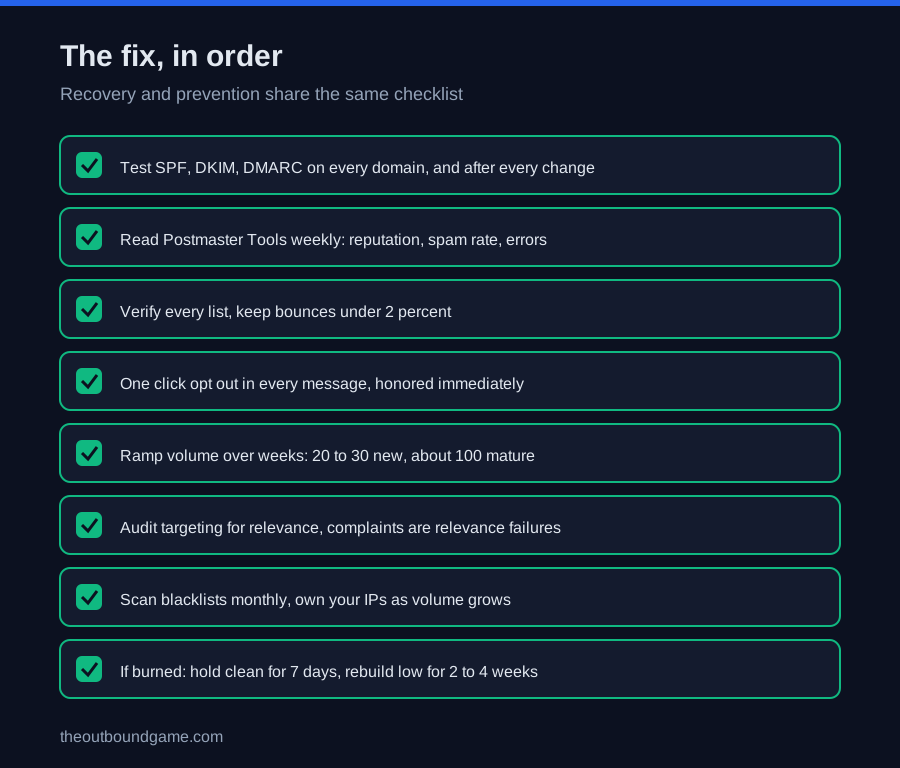
The fix, in order: an eight step recovery and prevention checklist
-
Test authentication today. SPF, DKIM, and DMARC on every sending domain, checked with a DNS testing tool, rechecked after every tooling change. Broken records are the fastest fix on this list.
-
Read your Postmaster Tools. Domain reputation, spam rate, and delivery errors by domain, weekly. You cannot manage a threshold you never look at.
-
Verify the list, every time. Bounce rate under 2 percent is the target; anything unverified gets a verification pass or gets cut before the send.
-
Fix the opt out. A visible, working, one click unsubscribe in every message. It is the cheapest complaint prevention that exists.
-
Rebuild volume like a ramp. New domains start at 20 to 30 a day; mature inboxes hold near 100; growth happens over weeks, never overnight.
-
Audit targeting for relevance. Every complaint is a relevance failure. Segments with a real why now, per the personalization system, keep complaint math survivable.
-
Check the blacklists and the neighbors. Monthly blacklist scans, and a hard look at whether shared IPs are exporting someone else’s sins to your campaigns.
-
If already burned, recover patiently. Get complaint rate under the threshold and hold it for seven consecutive days before expecting mitigation, keep volume low and clean for two to four weeks, and read The Inbox Ledger’s deliverability guides for the full repair protocol.
How deliverability fits the broader outbound stack
-
It is the transport layer of the whole b2b outbound sales system: everything upstream is wasted if the message never arrives.
-
List quality starts at the b2b data providers layer, where verified data is cheaper than repaired reputation.
-
Verification and waterfalls live in data enrichment tools, the bounce prevention layer.
-
Relevance that prevents complaints is built with the how to personalize cold emails at scale assembly line.
-
Sending mechanics, rotation, and warmup are the cold email software decision.
-
Volume pacing and follow up discipline follow the sales cadence playbook.
-
The copy that rides on clean infrastructure is sharpened by cold email subject lines and the templates library.
-
And the deep technical layer, records, warmup, repair, lives with our sister publication The Inbox Ledger, which covers email deliverability exclusively.
FAQ
Frequently asked questions
Why do my cold emails go to spam?
What spam complaint rate does Google allow?
Do spam trigger words still matter in 2026?
Is SPF, DKIM, and DMARC required for cold email?
How many cold emails can I send per day safely?
How do I know if my emails are going to spam?
How long does it take to recover from the spam folder?
The bottom line
Why cold emails go to spam in 2026 has a ranked answer, and copy sits at the bottom of it. Reputation, authentication, list quality, complaint behavior, sending patterns, and shared infrastructure decide placement long before a spam filter reads a single sentence, and Google now enforces the floor with rejections rather than warnings. Diagnose in that order, fix with the checklist, keep the thresholds on a weekly dashboard, and give the deep technical work the specialist treatment it deserves. The inbox is won on infrastructure. The reply is won on relevance. Confusing the two is why the rewrite never worked.
Want more tested breakdowns like this? We publish one honest teardown of outbound tools, tactics, and playbooks each week. Join the newsletter.
More on Deliverability
Best Email Warmup Tools in 2026 (Tested and Ranked)
The best email warmup tools in 2026 ranked by pricing model, warmup network quality, and team shape, from dedicated tools to sequencer bundled warmup.
How to Warm Up an Email Domain in 2026 (30 Day Plan)
How to warm up an email domain in 2026: the 30 day schedule, the graduation gates, why the calendar is only the input, and the recovery playbook.
How Many Cold Emails Per Day? Safe Limits for 2026
How many cold emails per day is safe in 2026: the per inbox limits, warmup ramp, why the cap includes warmup sends, and the math for scaling volume.